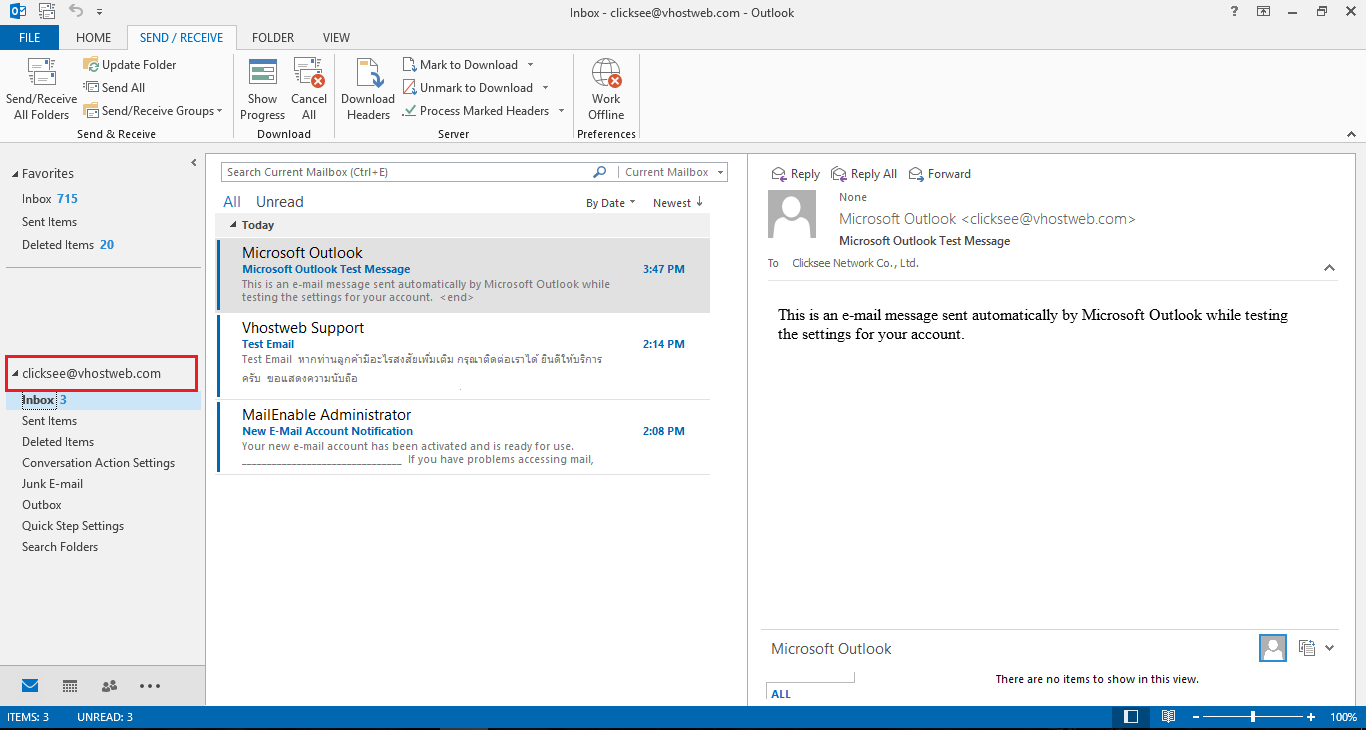

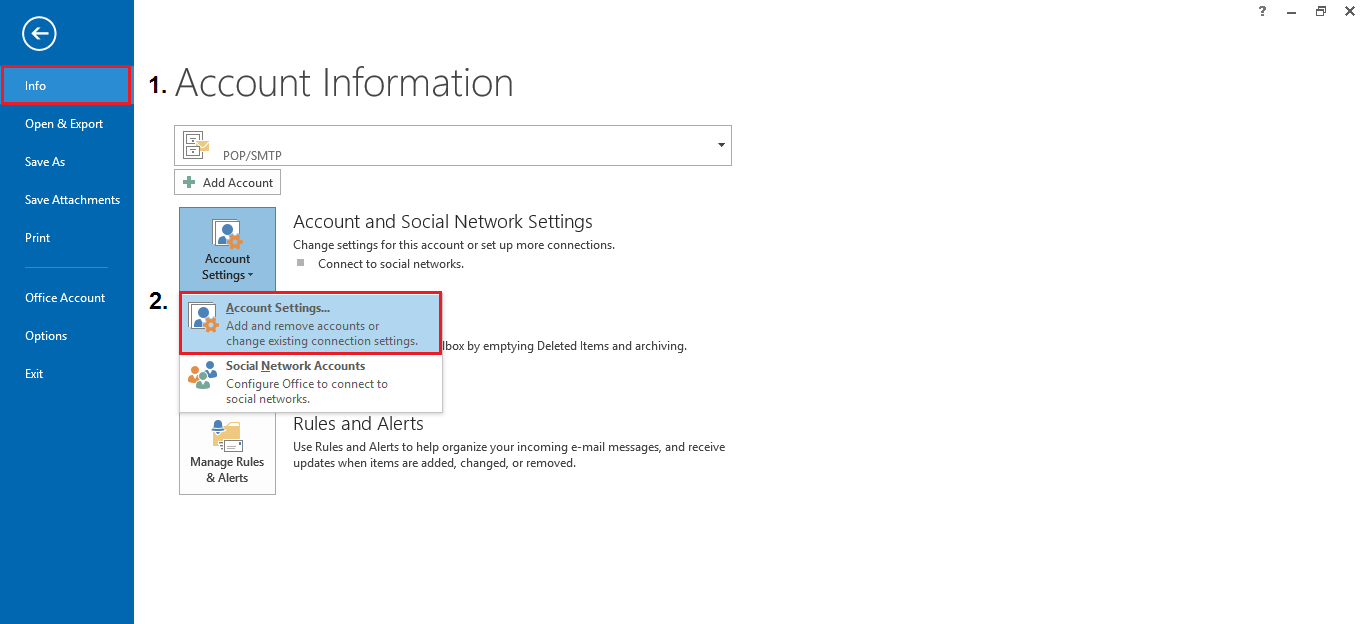
2. Go to File > Info > Account Settings
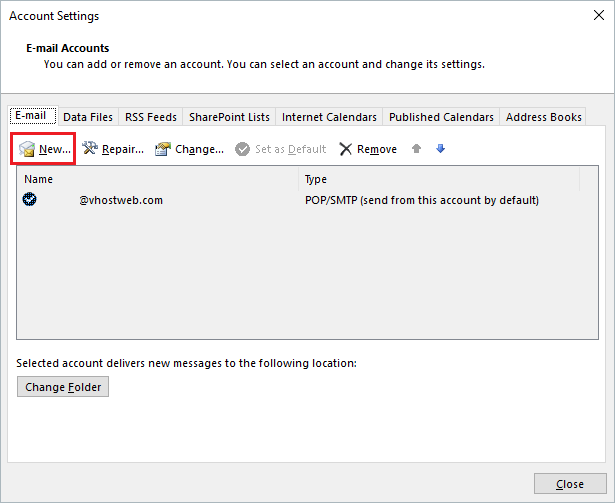
3.Tab Email > New
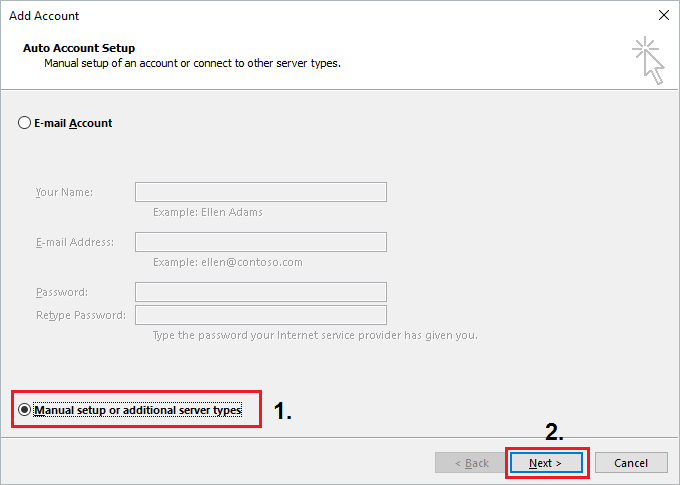
4. Manual setup or additional server types > Next
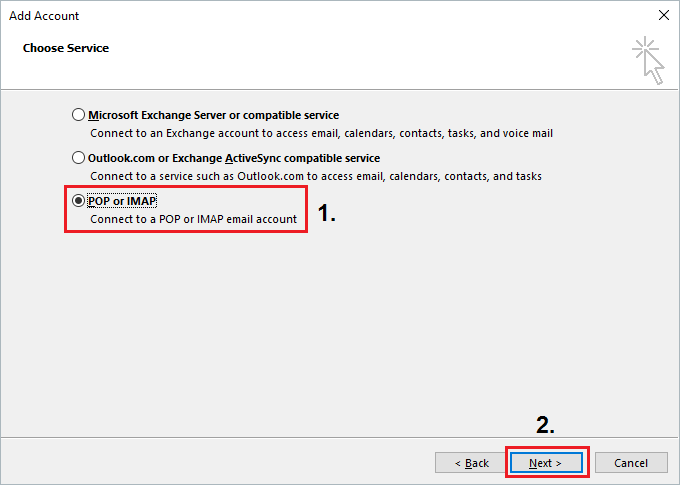
5. Choose service POP or IMAP > Next
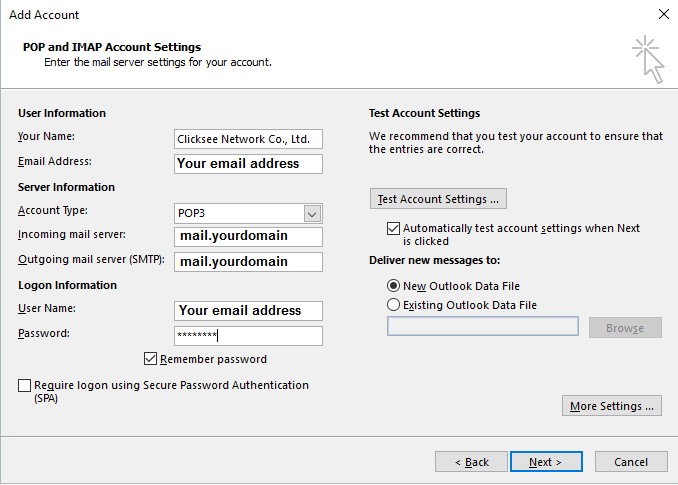
6. Input your information below and click More Settings button in the bottom right.
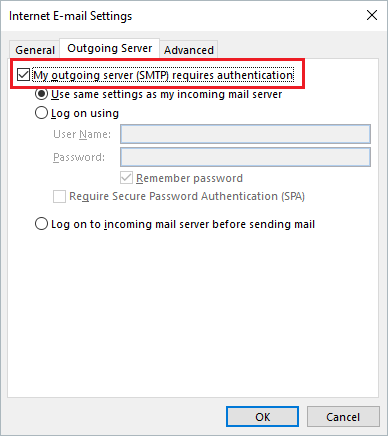
7. Tab Outgoing Server > My outgoing server (SMTP) requires authentication
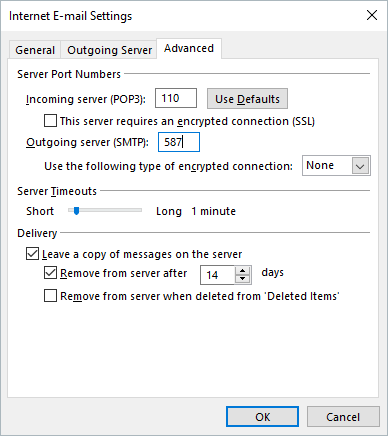
8. Tab Advanced and input information below, Click OK
9. Click Next
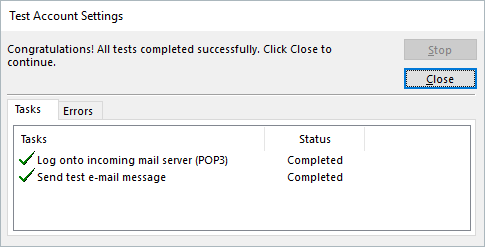
10. Finished